Dira reads your ad accounts on a schedule, so there are moments when fresh numbers are on their way. Until now those moments looked the same as everything being settled. Screens now tell you which one you're looking at.
While numbers update
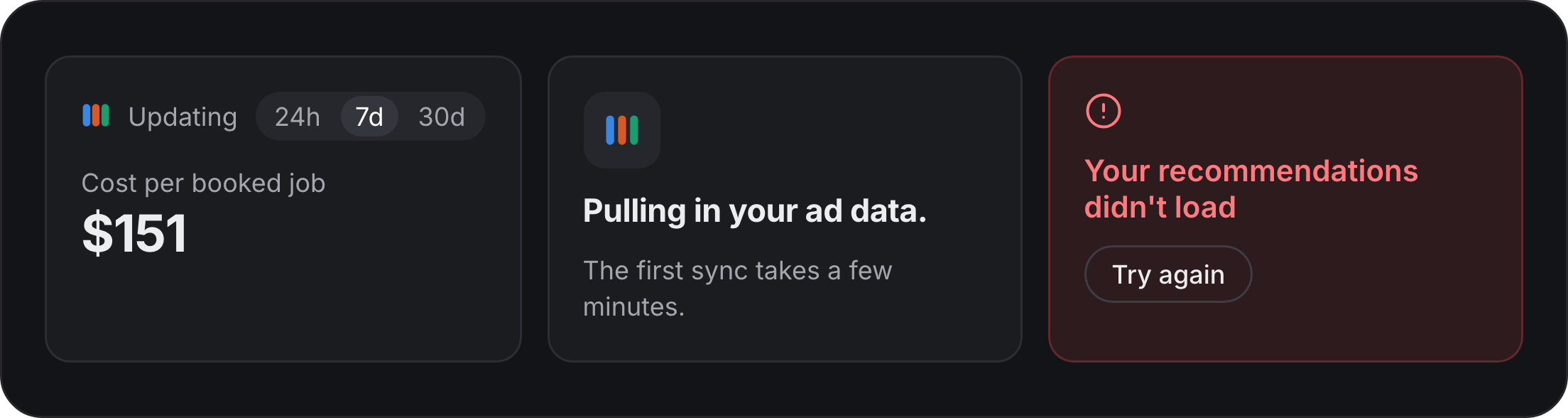
An Updating mark appears next to the date range while Dira fetches new numbers. What's already on screen stays in place, so nothing jumps or goes blank. If an update can't finish, you keep the last numbers Dira loaded and a short note says so.
On your first sync
Right after you connect an ad account, Overview says Pulling in your ad data. The first sync takes a few minutes. Your first recommendation appears once two platforms each have booked jobs Dira can trace back to them.
When something doesn't load
A page that can't load says which part failed and gives you a way to try again. If an ad account needs you to sign in again, a banner names the account and takes you straight to it.