You run Google Ads and Meta. One of them books jobs for less, and you know you should move money toward it. But you're on a job site all day, and the last time you changed a budget you forgot about it for three weeks.
Or it's the other way round. You've heard of tools that move budget for you, and you don't want software spending your money while you sleep.
Both worries have the same answer: move budget in small steps, inside limits you set, with a record of every change and a way to take it back.
Why move budget at all
When two platforms book jobs at different prices, every dollar on the pricier one buys less work. In the Northgate Plumbing and Drain sample, over 90 days, a booked job cost $131 on Google Ads and $206 on Meta. At those prices, the same dollar books more jobs on Google Ads.
Prices don't stay put. Competitors bid, seasons turn and ads wear out, so the platform that is cheaper this month can be dearer next month. Budget should follow the numbers a little at a time, not get moved once and left.
The limits you set
Dira moves daily budget between platforms inside three rules you control.
- A limit per move. The most one move can shift, for example $50 a day.
- A daily limit. The most Dira can move in total in one day, for example $300. Once it's used, Dira waits for tomorrow.
- Your total stays the same. Dira changes the split between platforms, not what you spend.
For example, with limits of $50 a move and $300 a day, Dira might move $40 a day to Google Ads: Google Ads from $70 to $110, Meta from $80 to $65, TikTok Ads from $90 to $65. The daily total was $240 before the move and $240 after it.
Suggest, or act within limits
You choose how much Dira does on its own.
- Suggest. Dira proposes each move with its reason, for example: move $40 a day from Meta to Google Ads, where a booked job costs $131 instead of $206. You tap Approve or Not now.
- Act. Dira makes the moves itself, inside your limits, and tells you what it did.
A good way to start is with suggestions for a few weeks. Once the moves make sense to you, let Dira act. You can switch back whenever you like.
Every move can be undone
Each move shows what changed, when and why. Undo puts the budgets back as they were, in one click. The audit log keeps every change to your workspace, who made it and when, so nobody has to guess later why Meta's budget went down.
Budget follows the platform that books for less. You set how far it goes, and every move can be undone.
Moves wait for evidence
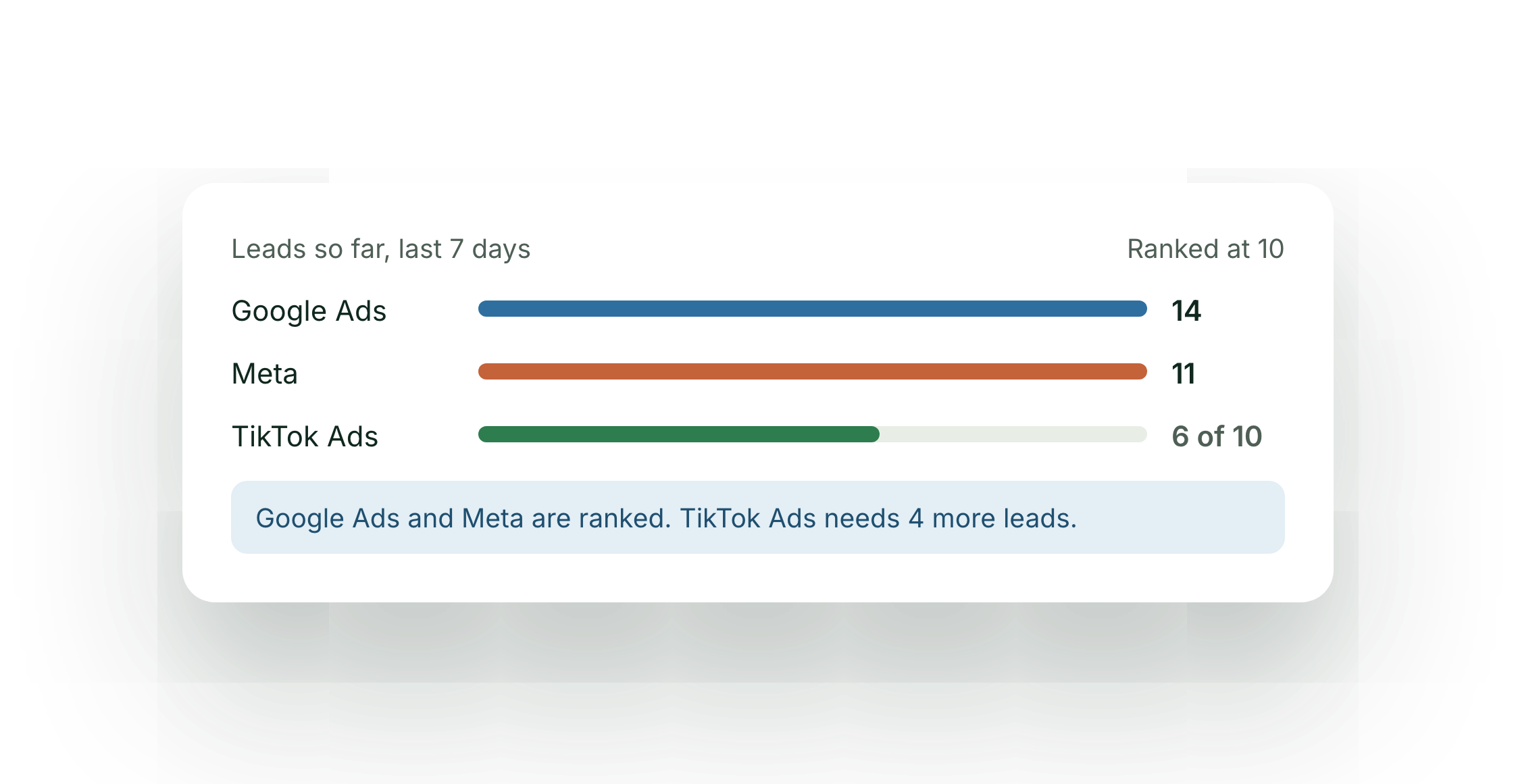
A move needs a ranking, and a ranking needs evidence. A platform joins the ranking once it has 10 leads in the window, and Dira compares platforms on what a booked job costs, not on clicks or claimed leads. Until two platforms qualify, Dira shows the numbers and leaves your budgets where they are.
That matters most on small budgets, where a lucky day can make any platform look like a bargain. The rule keeps a quiet week from pulling money toward the wrong one.
Permission is separate
Connecting an ad account lets Dira read your spend, clicks and leads. Moving budget needs a separate permission you grant on purpose. Until you grant it, Dira doesn't touch your budgets.
Setting your first limits
If you're not sure where to start:
- Set the limit per move to a small share of your smallest platform's daily budget, so no single move changes much.
- Set the daily limit to what you'd be comfortable seeing move in a day without checking.
- Start with suggestions and approve the ones that make sense.
- Read your Monday reports for a few weeks. If the moves are booking more jobs for the same money, widen the limits or let Dira act.
What you need
Moving budget takes two platforms, since with one there is nowhere to move it to. That's the Every platform plan. Google Search and Local Services Ads count as two, so you can compare them and move budget between them even if Google is the only place you advertise. On one platform, your Ad Report still shows what each booked job cost, which is the number every move is based on.